

Appearance
Event Work in Progress
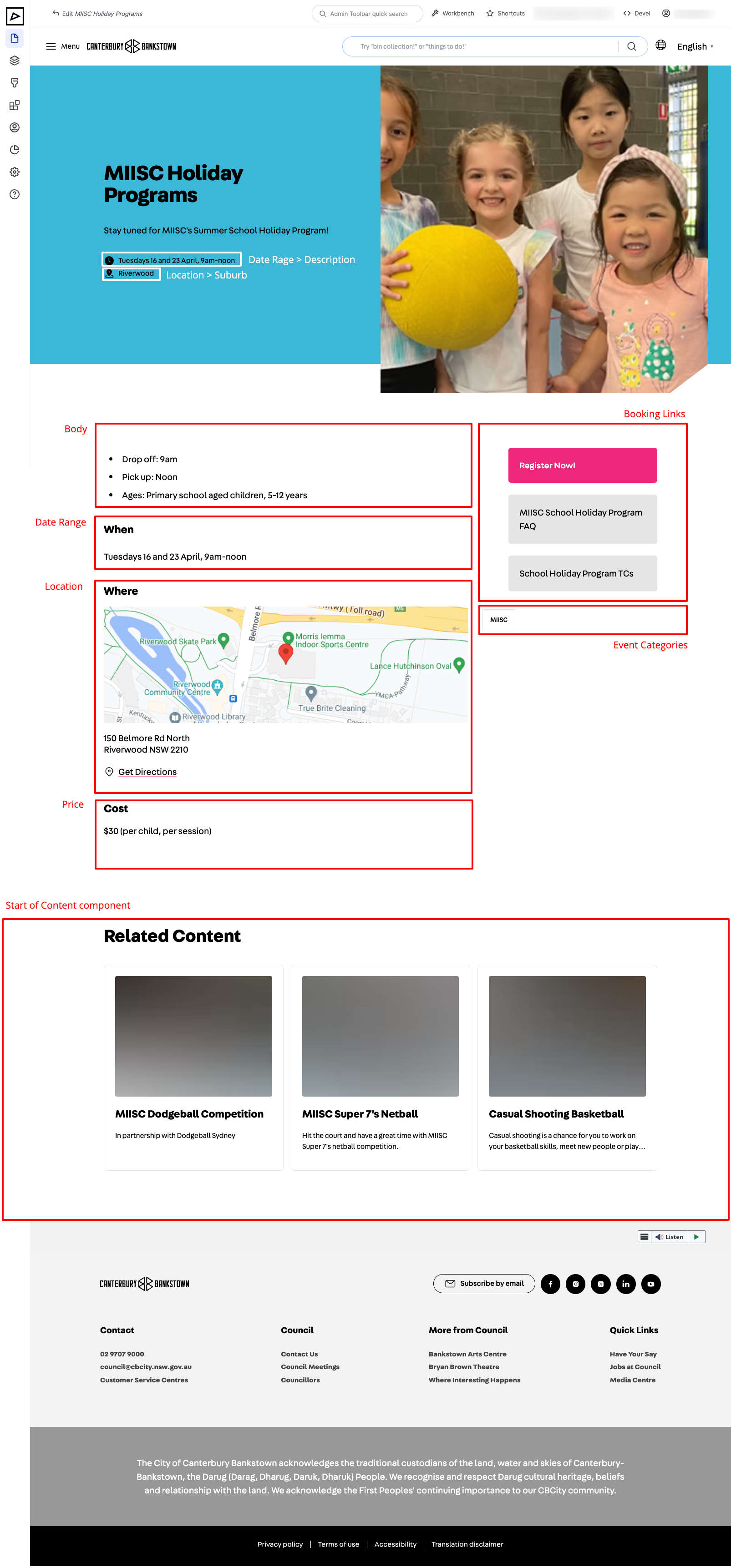
An event is a scheduled happening that residents can attend. It can be a festival, a workshop, a concert, etc. An event has a date range, a geo location (for physical events), price, booking link and various other details.
| Backend | Frontend |
|---|---|
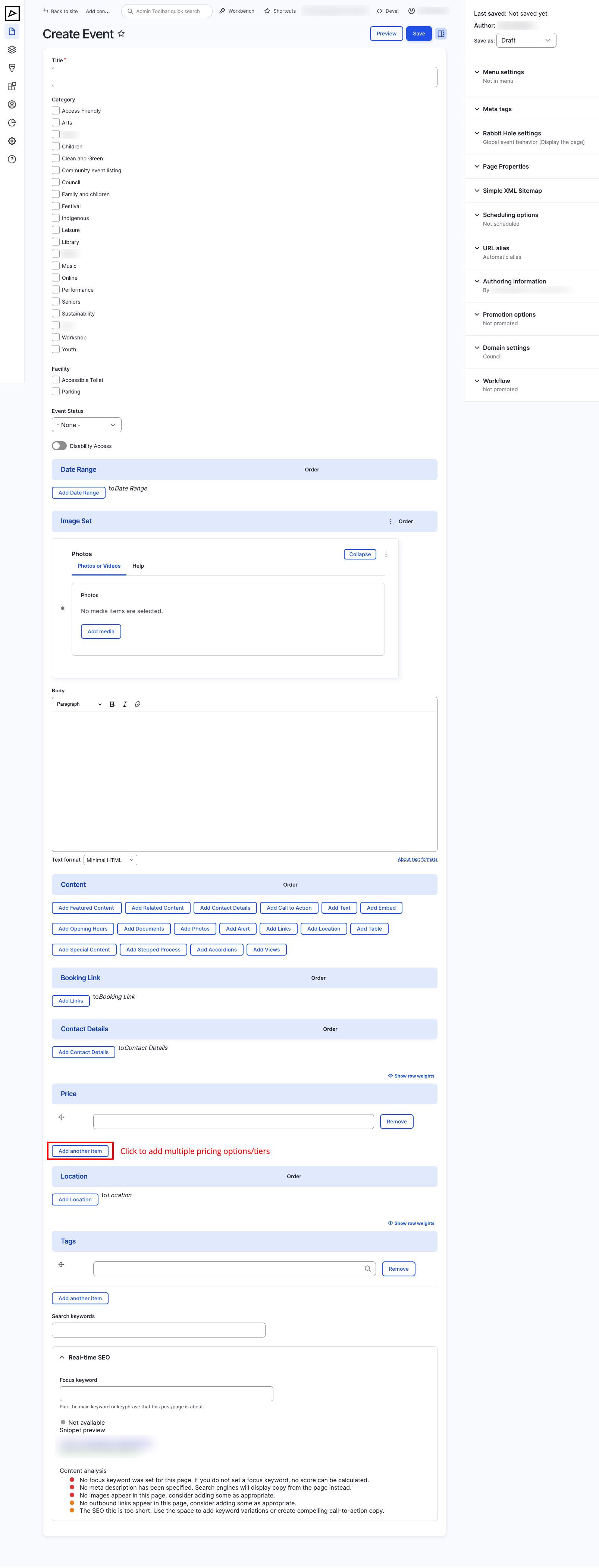 |  |
Title
Make sure to give your event a descriptive title that accurately describes the content of the page. The title will be displayed in the browser tab and in search engine results.
Category
Choose categories that best describe the event. Categories can be used to filter events on listing pages (Views).
See Taxonomies > Categories to manage the list of available categories.
Facility
Choose facilities that are available at the event/location. Facilities can be used to filter events on listing pages (Views).
See Taxonomies > Facilities to manage the list of available facilities.
Event Status
Choose one of the following event statuses:
- Cancelled
- Postponed
- Sold Out
No status means the event is active.
Disability Access
Indicates whether the event is accessible to people with disabilities.
Date Range Work in Progress
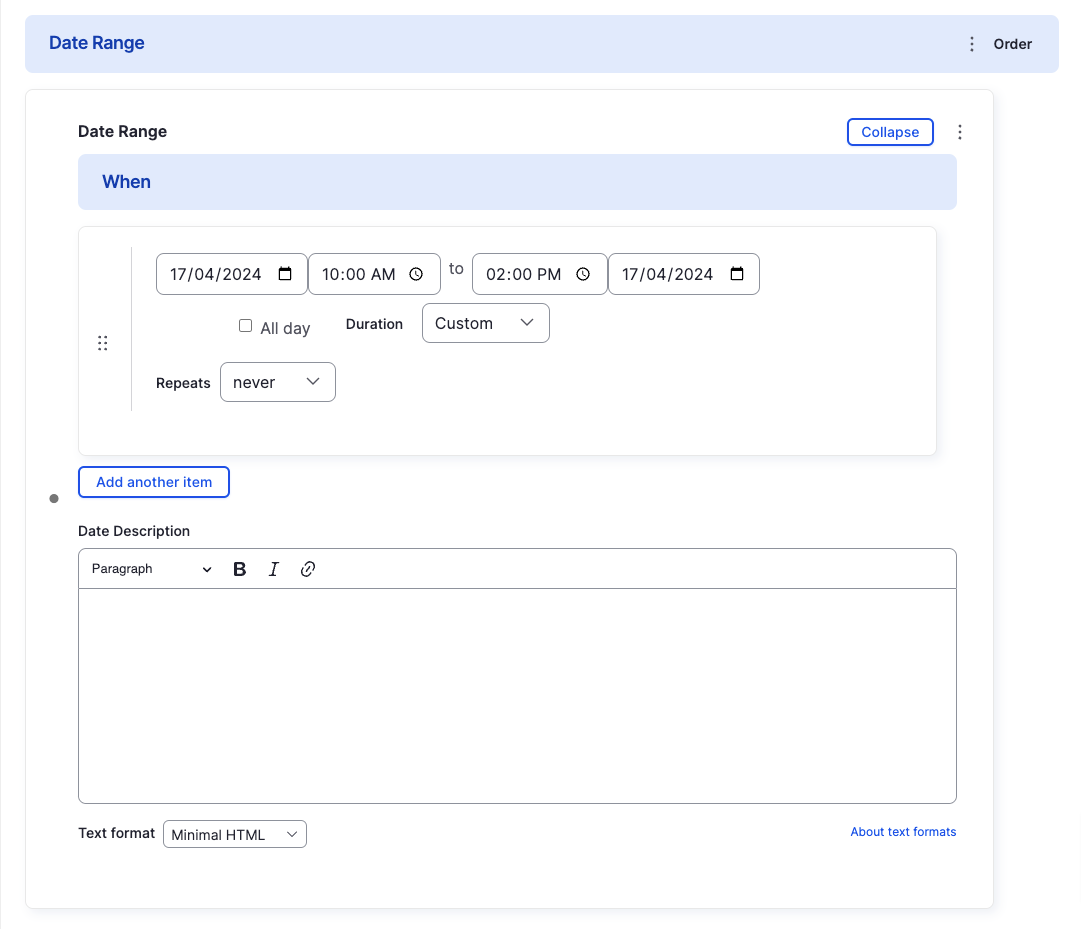
Repeating Dates
Multiple Dates
Date Description
Image Set
Serves the same purpose as the Featured Image for a page.
Displayed on the page header and in the listing page (Views) cards.
Booking Link
If the event requires booking, provide link(s) to the booking page(s).
See Components > Links for usage instructions.
Contact Details
If the event has a representative / point of contact, provide their details.
For example, festivals have coordinators, workshops have instructors, etc.
See Components > Contact Details for usage instructions.
Price
If the event has an entry fee, provide the price.
It's possible to provide multiple prices for different ticket types.
Location
If the event is held at a physical location, set the geo location to have it shown on the map of a listing page (Events View).
See Components > Location for usage instructions.
Content
Content consists of components like text, images, accordions, etc. that describe the event.
See Components for usage instructions.