
Appearance
Place Work in Progress
A place is a physical location that can be visited by residents. It can be a building, a park, a community centre, etc. A place has geo coordinates and various facilities.
| Backend | Frontend |
|---|---|
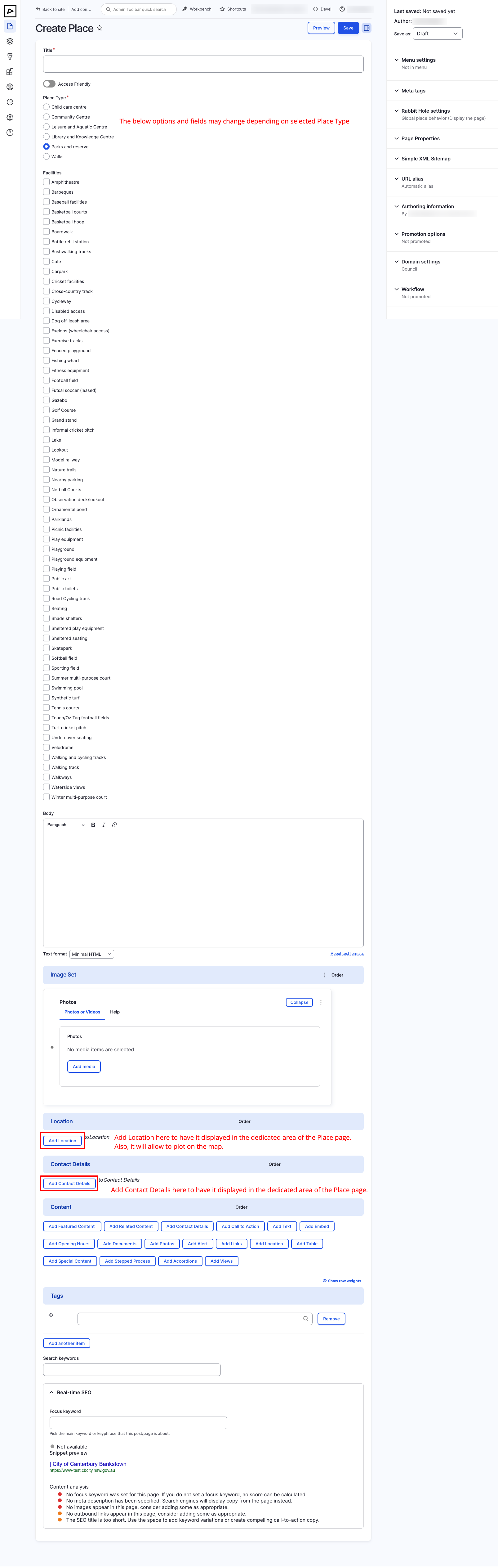 |  |
Title
Make sure to give your place a descriptive title that accurately describes the content of the page. The title will be displayed in the browser tab and in search engine results.
Include keywords e.g. Park, Reserve, Community Centre, etc.
Access Friendly
Indicates whether the place is accessible to people with disabilities.
Place Type
Available options are:
- Child Care Centre
- Community Centre
- Leisure and Aquatic Centre
- Library and Knowledge Centre
- Parks and Reserves
- Walks
NOTE
Depending on the chosen place type, the below fields may change.
Facilities
Choose multiple facilities that are available at the place.
Place listing pages can be filtered by facilities.
Facilities can have an SVG icon associated with them. See more in Taxonomy > Facilities.
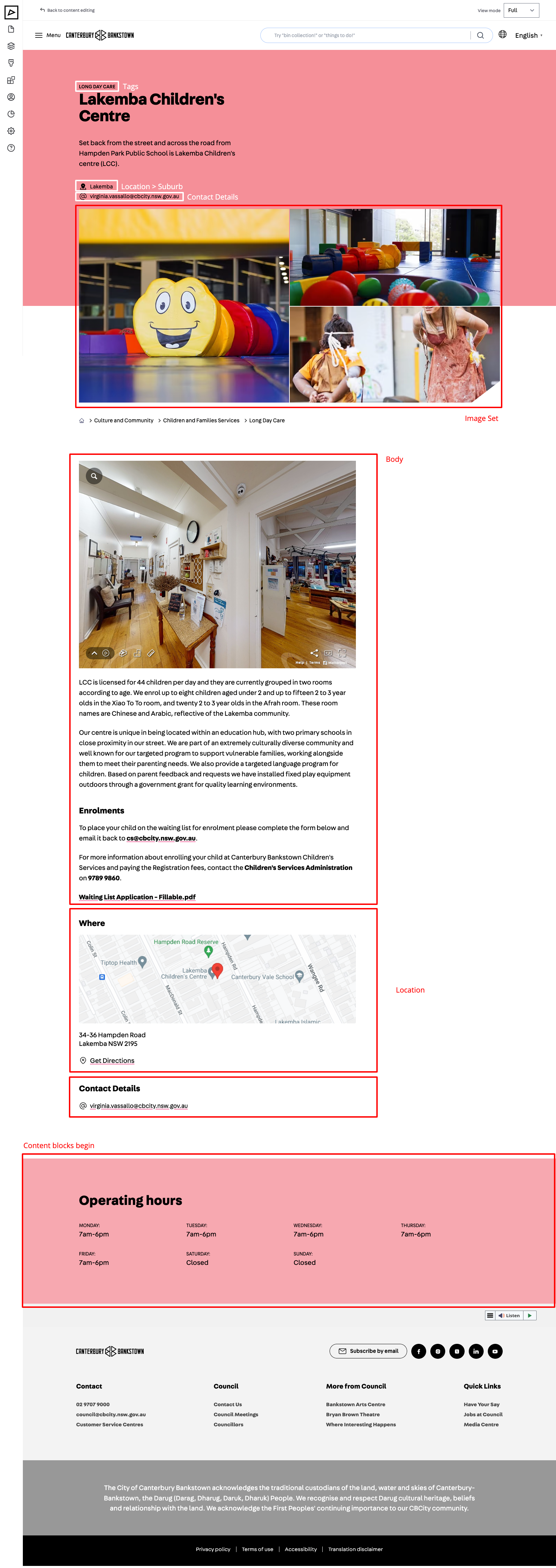
Image Set
Serves the same purpose as the Featured Image for a page.
Displayed on the page header and in the listing page (Views) cards.
Location
Set the geo location of the place to have it shown on the map of a listing page (Places View).
See Components > Location for usage instructions.
Contact Details
If the place has a representative, provide their contact details.
For example community centres have coordinators, parks have rangers, etc.
See Components > Contact Details for usage instructions.
Content
Content consists of components. Add components to the page to display different types of content, such as text, images, accordions, etc.
See the Components documentation for more information on managing components.