Appearance
Menus Work in Progress
Website can have multiple menus, each with its own structure and links. Menus can be managed from the Menu section in the admin panel.
Different menus can be assigned to different regions of the website (header, footer) or different subsites.
Managing from Menu Structure
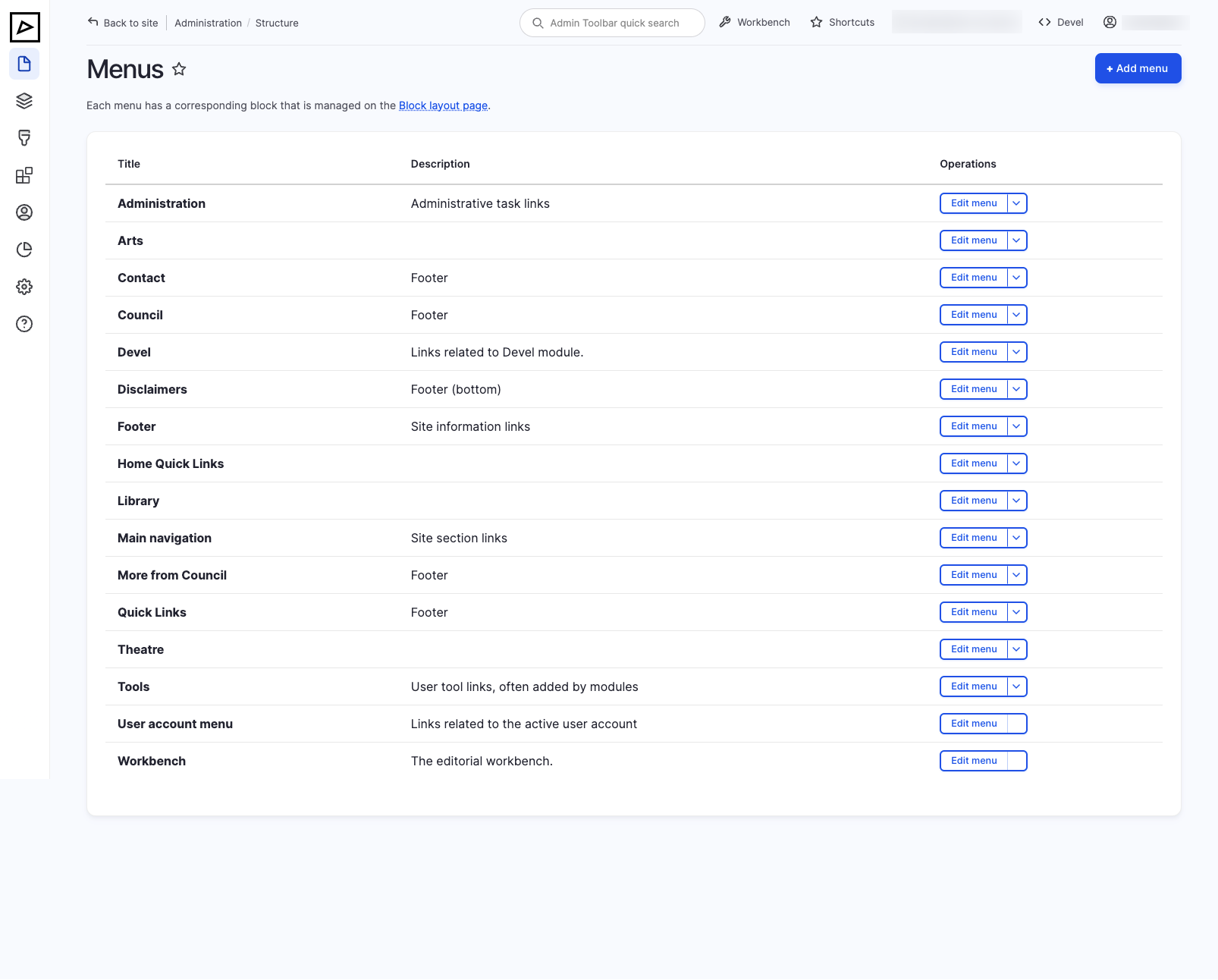
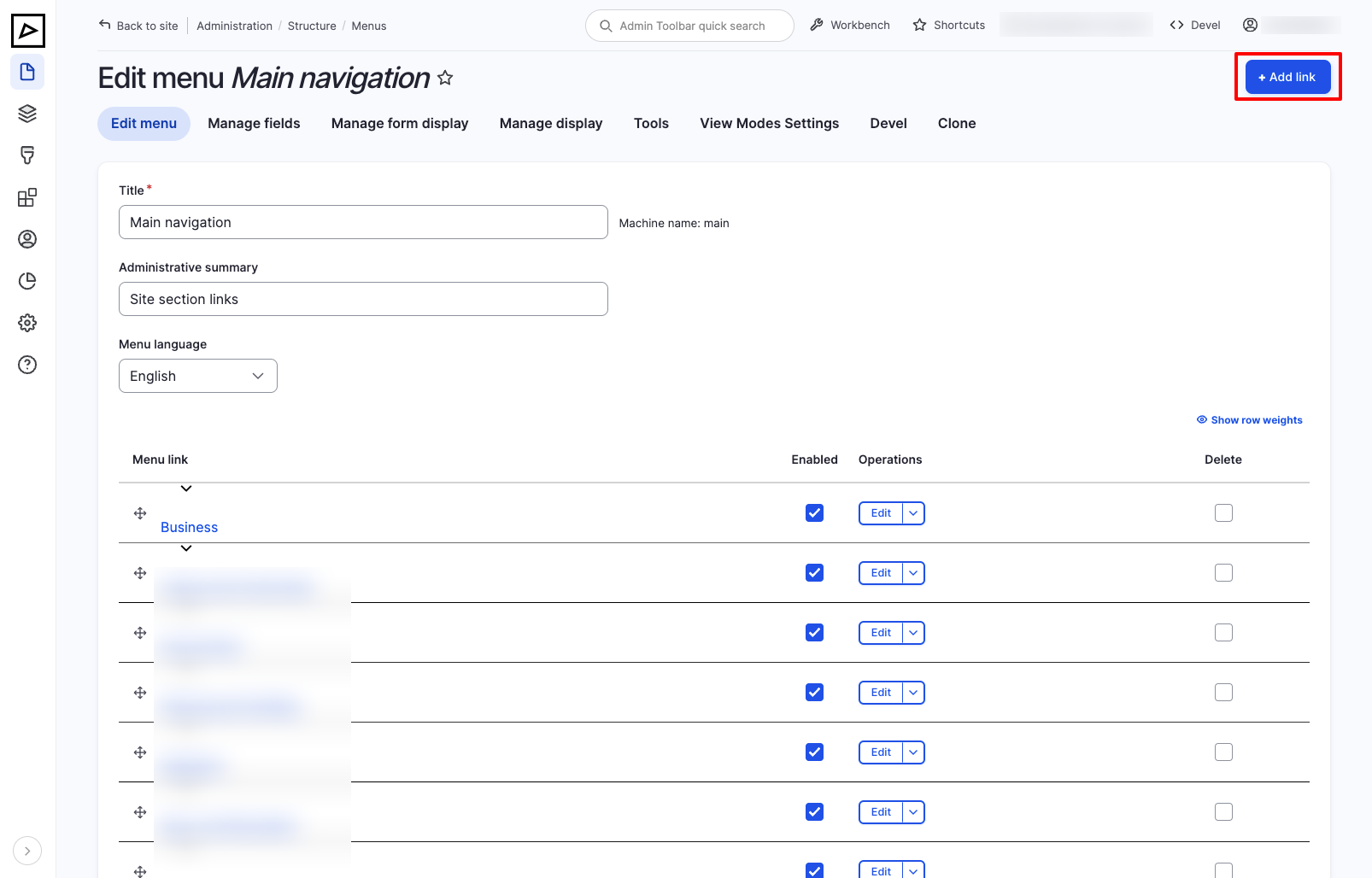
Click Add menu to create a new menu or click Edit menu to edit an existing menu.
Creating a new menu item
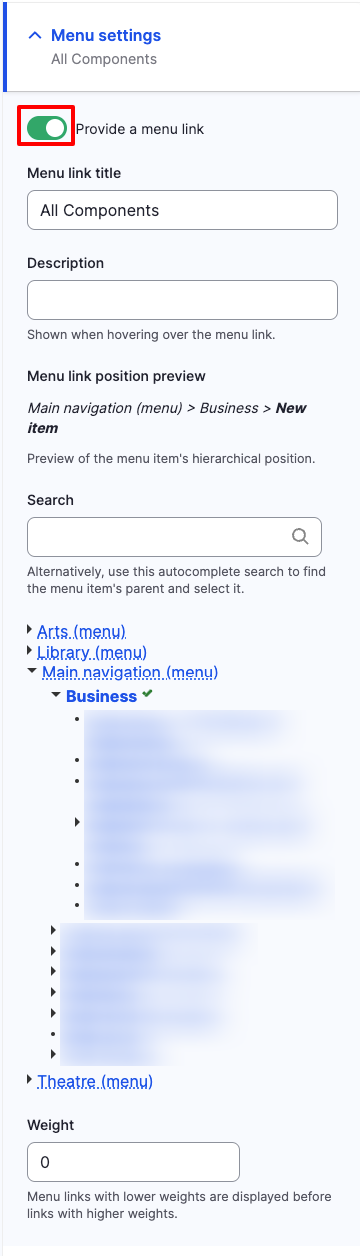
Alternatively, create a link from the content type by selecting Menu settings and then Provide a menu link.
More information below in Managing from Content section.
Editing a menu item
Deleting a menu item
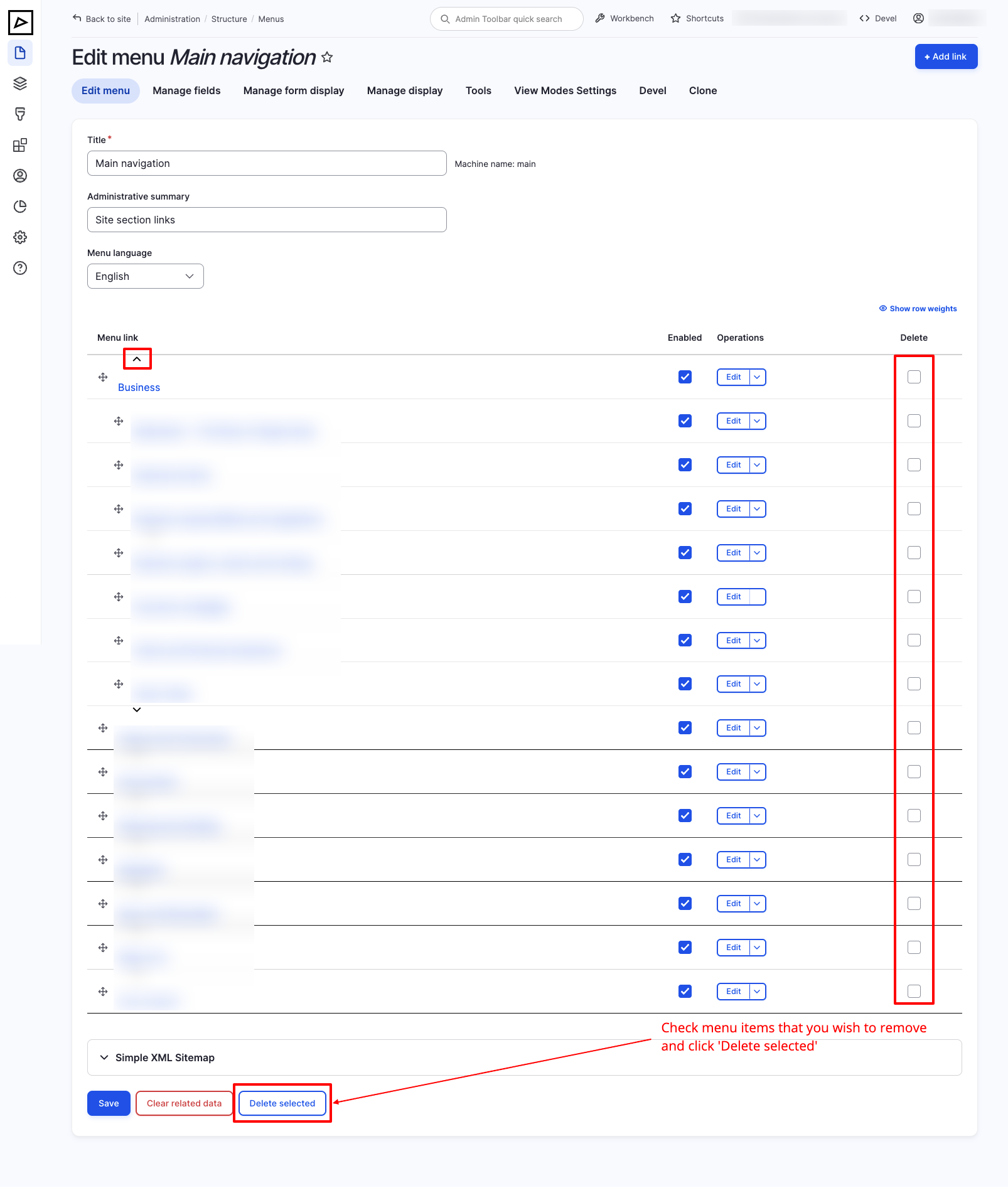
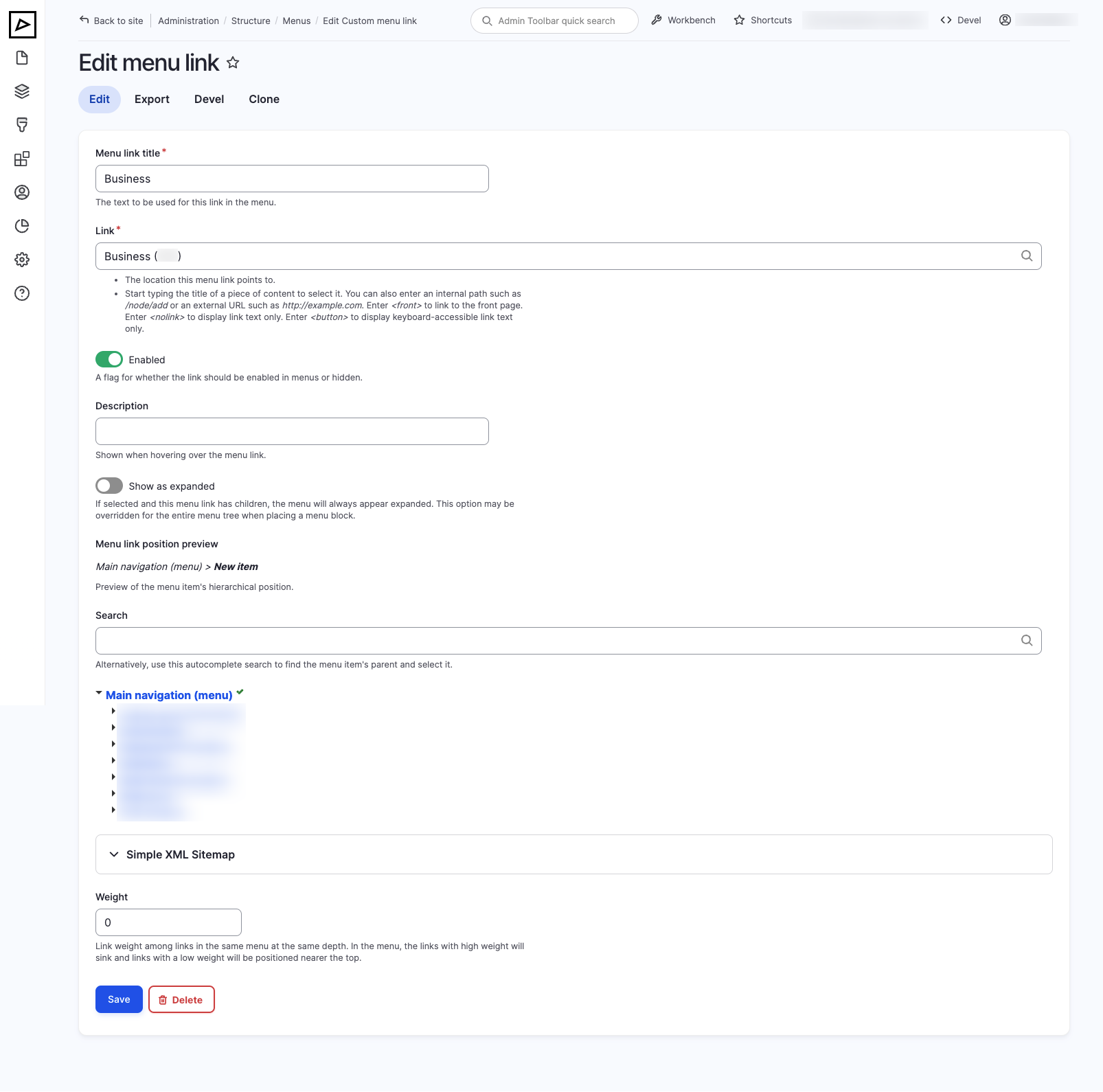
Alternatively, to delete individual menu items, click on Edit and then click on Delete at the bottom of the page.
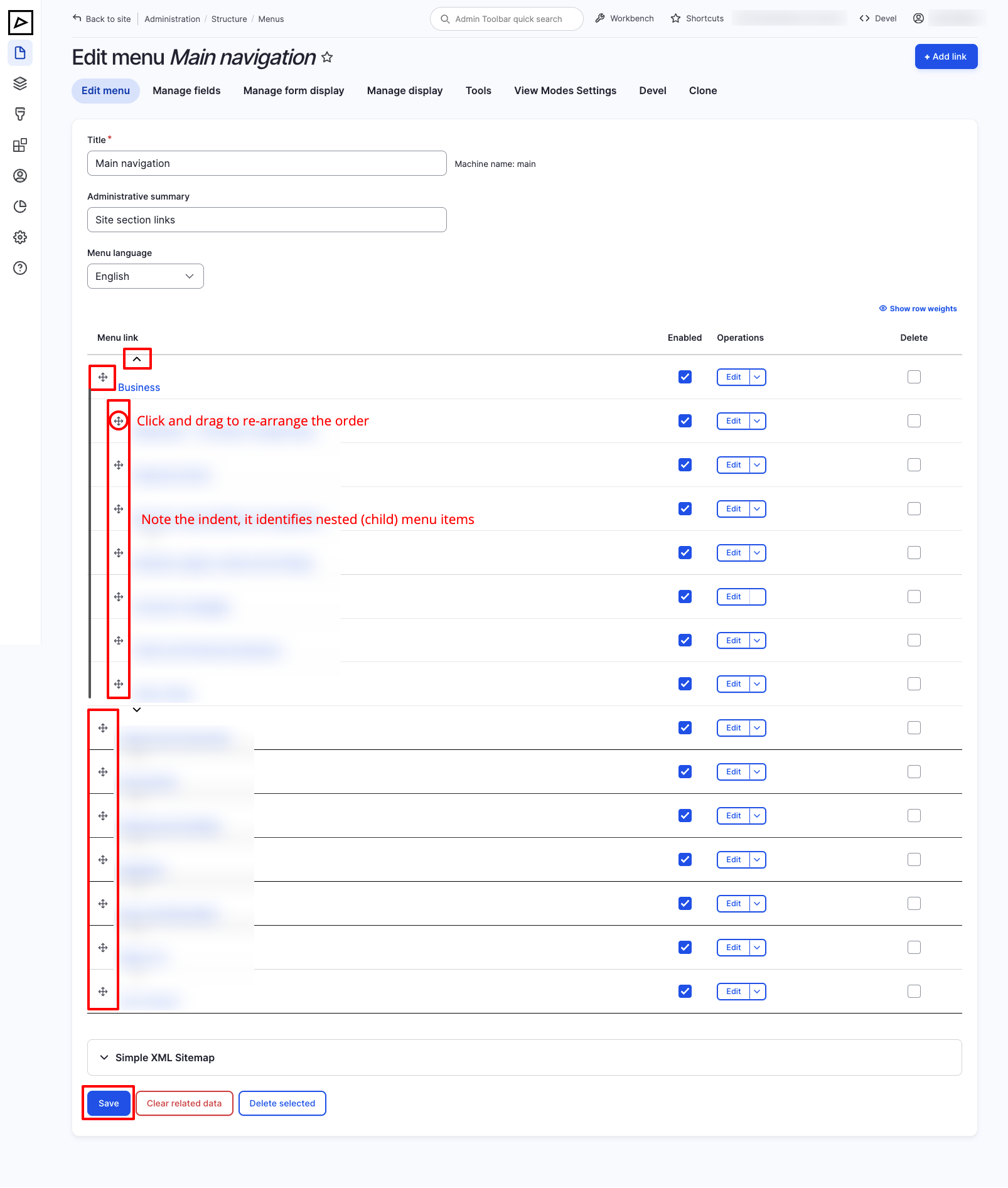
Reordering menu items
Managing from Content
TIP
External menu links can be created only from the Menu Structure.
Assigning primary (main) menu to a subsite
Click on Block layout page on the Menu Structure overview page.
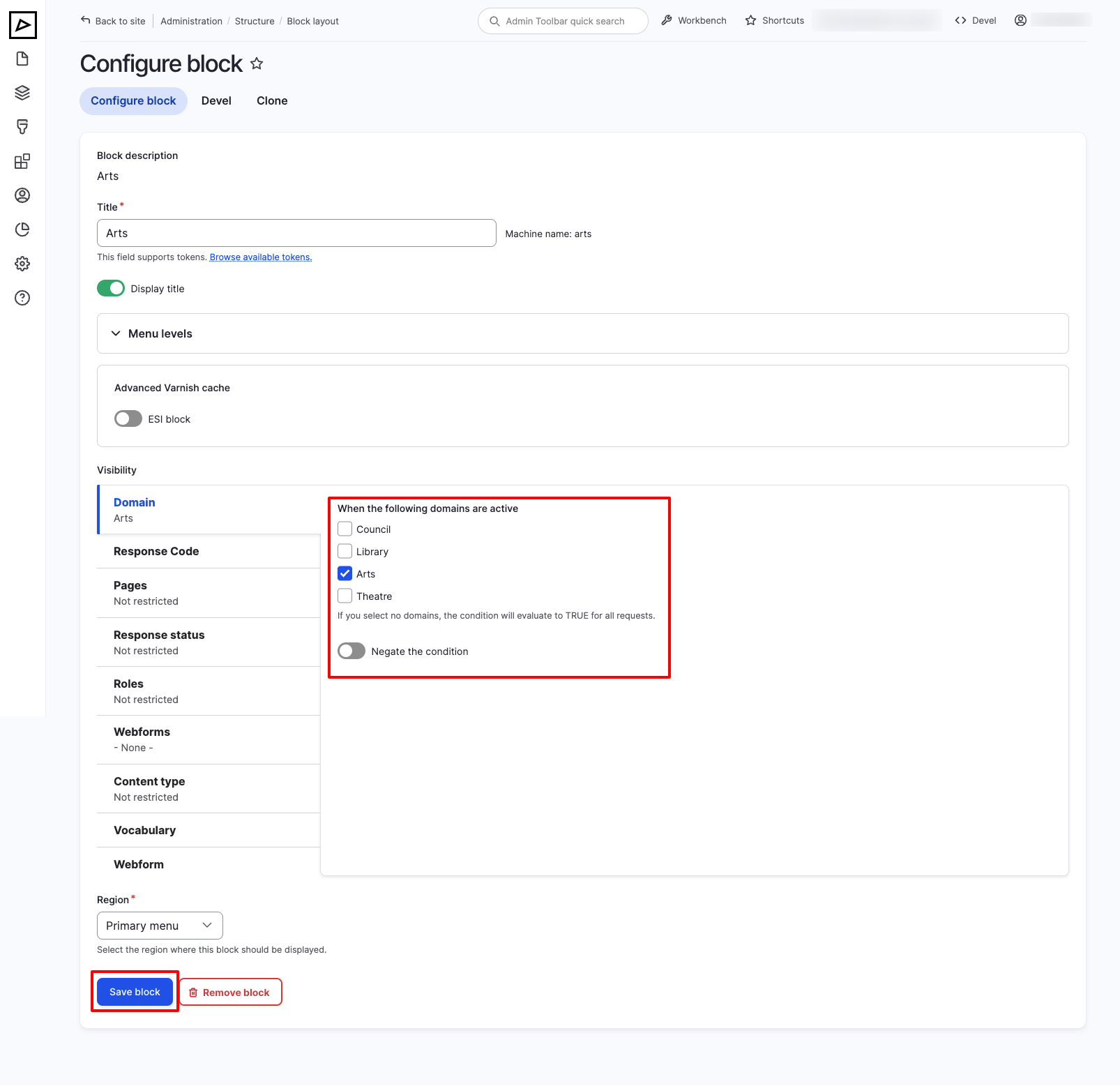
Scroll dow to Primary menu and click on Place block to add a new menu or click Configure to edit existing one.
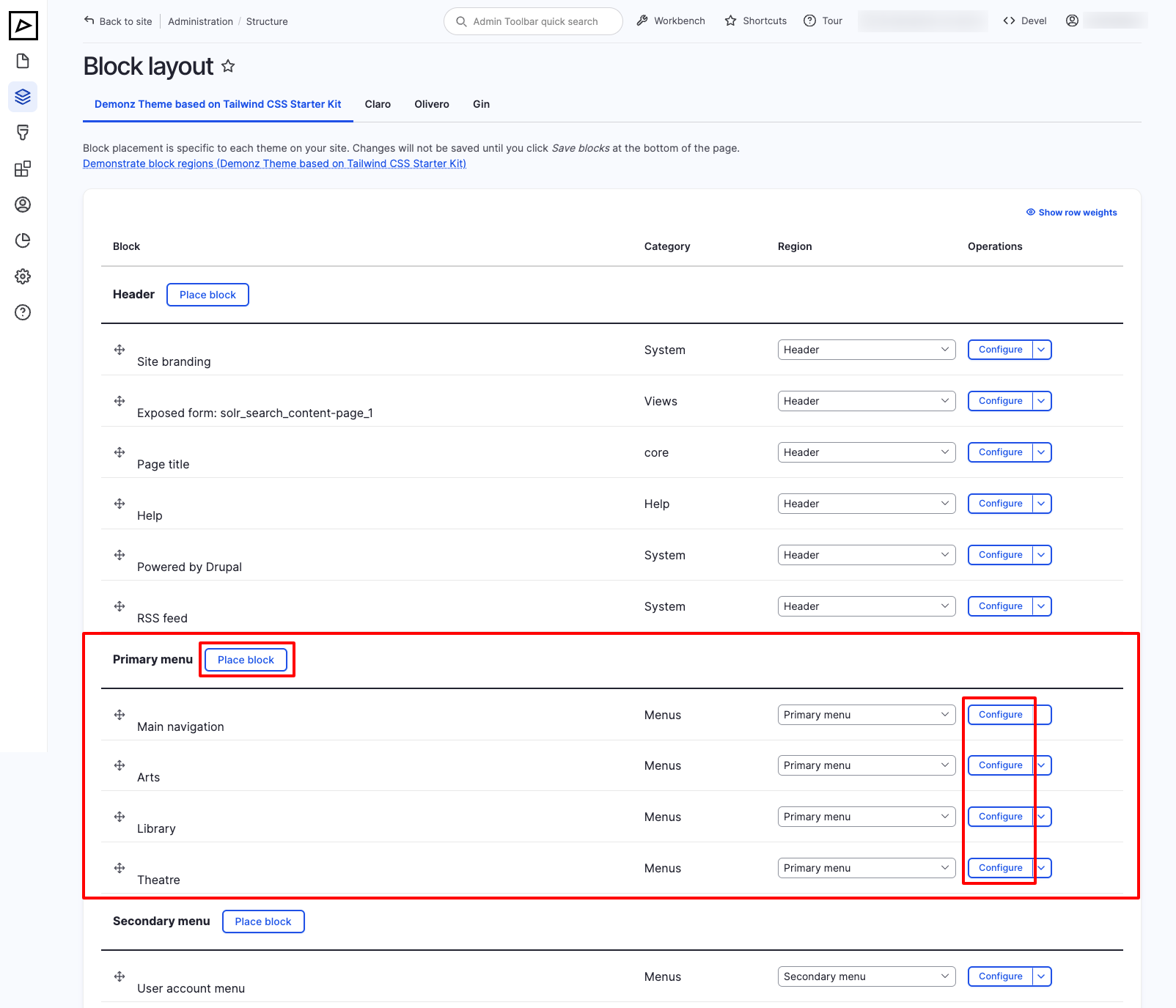
Screenshot below shows Arts menu assigned to the Arts subsite.